Install the Locoteca app
Locoteca installs straight from the browser: no app stores, no sign-up and almost no storage used. Pick the instructions for your device.
Android
1 tapThe app installs straight from your browser. Google Play is not needed.
If the app is not installed yet, open the browser menu — in Chrome it is the three-dots button in the top right corner — and choose “Install app” or “Add to Home screen”.
iPhone
4 steps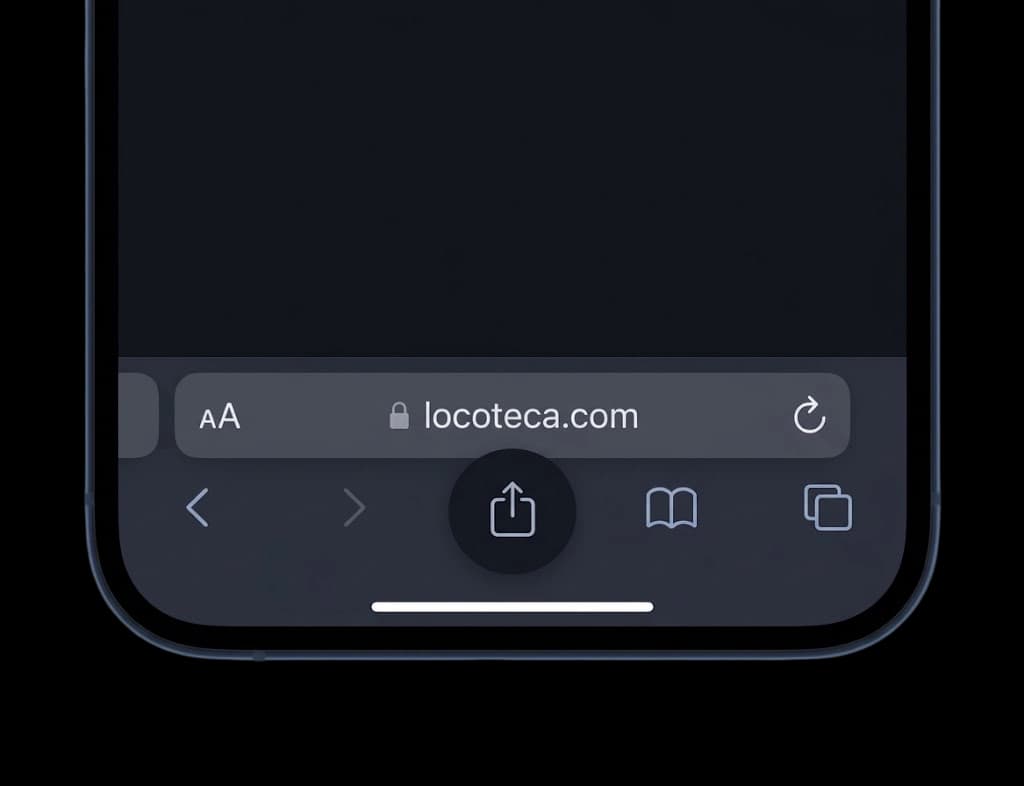
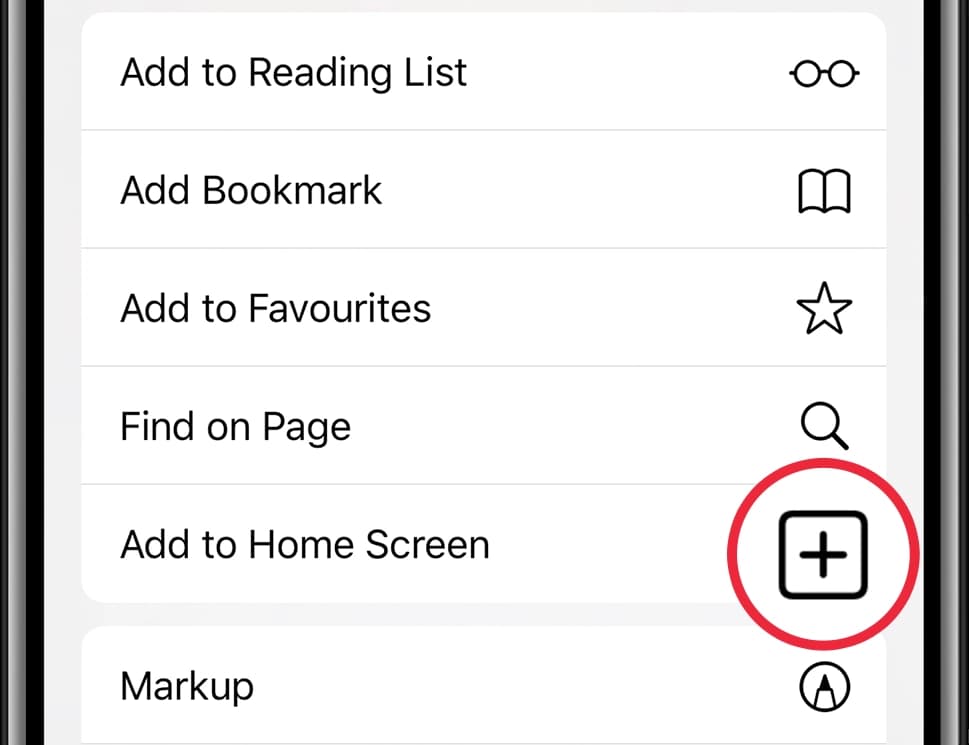
- Open the site in a browser
- Tap Share on the browser toolbar
- Scroll down to Add to Home Screen
- Tap Add in the top right corner
Why install it
An icon on your screen
Locoteca sits on your home screen next to your other apps and opens in one tap — no hunting for a tab, no typing the address.
The whole screen
The app opens without the address bar and browser toolbars — the entire phone screen goes to listings and photos.
Always up to date
It updates itself and takes almost no storage: it is the same site, not a separate app weighing tens of megabytes.